Best Plans For Streaming
Choosing the Right Device for Streaming
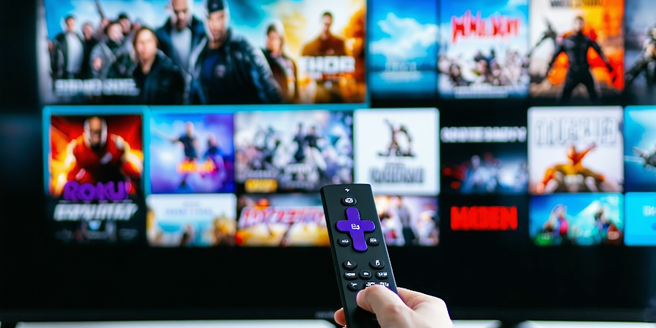
When selecting a streaming device, it’s important to consider factors like compatibility with your TV, ease of use, and the variety of apps available. Devices such as Roku, Amazon Fire Stick, and Apple TV each offer unique benefits. Roku is known for its vast app selection and user-friendly interface. The Amazon Fire Stick integrates seamlessly with Alexa for voice control, making it convenient for Amazon Prime subscribers. Apple TV, on the other hand, excels in providing smooth integration within the Apple ecosystem. Consider whether you prefer a more open system like Roku, or if brand loyalty to Amazon or Apple plays a part in your decision. Additionally, think about resolution support, especially if you have a 4K TV, as this will significantly affect your viewing quality. Choose what best fits your home setup and personal preferences.
Understanding Different Streaming Services
The streaming landscape is vast, with numerous services catering to different tastes and budgets. Netflix is renowned for its wide array of original content and past network shows. Hulu offers a mix of current season episodes of popular TV shows alongside its original series. Amazon Prime Video is part of an Amazon Prime subscription, providing a varied library of movies and shows. Disney+ focuses on family-friendly content including Disney, Pixar, Marvel, Star Wars, and National Geographic. HBO Max offers premium content with a robust selection of films and series from WarnerMedia properties. Selecting the right service depends on the content you want and how much you are willing to spend. Some people opt for multiple subscriptions for more diverse viewing options, while others seek to minimize costs with one or two main services.
Setting Up Your Home Network for Optimal Streaming
For a smooth streaming experience, ensuring your home network is optimized is crucial. Start by checking your internet connection speed; most streaming services recommend at least 5 Mbps for HD and 25 Mbps for 4K content. Position your router centrally to minimize dead zones and consider upgrading your router if it’s outdated. Use a wired Ethernet connection for devices, like smart TVs or game consoles, for more stable and faster speeds. If wired connections are not feasible, invest in a mesh Wi-Fi system to enhance coverage throughout the home. Limit the number of devices connected to the network simultaneously to reduce bandwidth congestion. Additionally, regularly updating your router’s firmware can enhance performance and security. Balancing these factors will help ensure your streaming is uninterrupted and smooth.
Comparing Subscription Plans for Value and Variety
When evaluating subscription plans, it’s essential to consider both the variety of content and the cost. Platforms like Netflix and Amazon Prime Video have tiered pricing structures, with different levels of viewing quality and simultaneous streams. Consider if you need 4K content, as this can increase the cost. Many services offer free trials, allowing you to test before committing. Bundled services like Disney+, Hulu, and ESPN+ can be cost-effective for diverse viewing needs. HBO Max, while more expensive, offers premium content such as blockbuster movies and exclusive series. It’s worth calculating monthly costs against viewing habits to see which service provides the best value. Users with specific content needs might prioritize niche services or add-ons. Carefully reviewing the features and content libraries can help identify the optimal package.
Tips for Enhancing Your Streaming Experience
To elevate how you stream content, consider several enhancement strategies. Invest in a high-quality display that supports HDR or Dolby Vision for more vivid, lifelike colors. Always use the highest quality streams available, and configure your app settings to default to HD or UHD when available. Sound quality can be amplified by utilizing external speakers or soundbars, offering an immersive viewing experience. Make sure your viewing area is comfortable and optimized for sound and visuals. Manage your app background data usage to prevent interruptions, ensuring other applications don’t compromise your bandwidth. Regularly check for app and device updates to take advantage of the latest features and patches. Lastly, engage with value-added features such as watch parties or curated playlists, which can make watching a social experience even when viewing alone.