Affordable Options for Secondary Backup Phones
Why You Need a Secondary Backup Phone
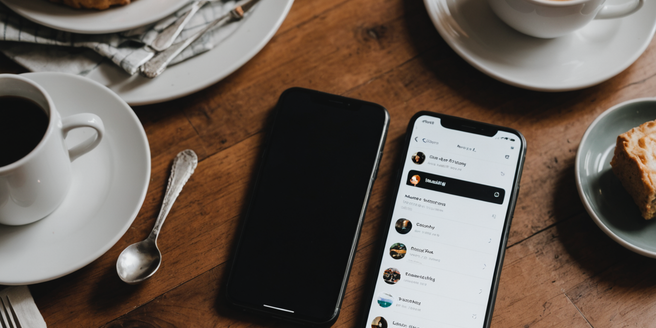
A secondary backup phone provides essential security and reliability in our connected world. When your primary device fails, breaks, or runs out of battery during critical moments, having a backup ensures you remain reachable and productive. This is particularly important for professionals who depend on constant communication, parents coordinating with family, and travelers navigating unfamiliar places. Secondary phones offer protection against data loss, allowing you to access important contacts and information even if your main device is compromised. Additionally, they provide peace of mind during emergencies when immediate communication is vital. Whether facing unexpected technical issues or planned device upgrades, a backup phone eliminates stress and maintains your connectivity. For business owners and remote workers, it’s an affordable insurance policy against lost productivity and missed opportunities.
Budget-Friendly Smartphone Models Under $200
The smartphone market offers excellent affordable options that don’t compromise on essential features. Models like the Samsung Galaxy A15, Motorola Moto G Play, and Google Pixel 6a deliver reliable performance without premium pricing. These devices feature adequate processing power for daily tasks, decent camera quality, and sufficient battery life. The iPhone SE remains competitive for Apple ecosystem users seeking affordability. Realme and Xiaomi consistently provide outstanding value with their budget lines, offering impressive specifications at fraction of flagship costs. Many carriers offer promotional pricing on previous-generation phones, further reducing costs. When shopping, prioritize devices with good processor performance, at least 64GB storage, and dependable customer reviews. These budget models handle email, messaging, social media, and streaming efficiently. While they may not offer cutting-edge photography or gaming performance, they serve perfectly as reliable backup devices for staying connected.
Refurbished and Used Phones: Smart Money-Saving Strategies
Refurbished and used phones represent the smartest approach to backup device savings. Certified refurbished phones from reputable sellers come with testing guarantees and often include limited warranties, making them nearly risk-free. These devices are restored to like-new condition while costing significantly less than retail prices. Used phones from trusted marketplaces or carrier trade-in programs offer even deeper discounts. Prior to purchasing, verify the phone’s condition rating, battery health, and any cosmetic imperfections. Check compatibility with your carrier’s network bands to ensure connectivity. Purchasing from established retailers, carrier websites, or reputable resellers protects against fraud and defective devices. Refurbished flagship phones often outperform new budget models at similar price points. This strategy maximizes your backup phone investment, allowing you to maintain a reliable secondary device without substantial financial commitment.
Pay-As-You-Go Plans vs. Contract Options for Backup Devices
Selecting the right service plan for your backup phone depends on anticipated usage patterns. Pay-as-you-go plans offer maximum flexibility with no long-term commitments, ideal for devices rarely used. You pay only for services consumed, keeping monthly costs minimal when usage is sporadic. However, contract plans provide better rates for consistent usage, often bundling talk, text, and data affordably. Many carriers offer prepaid options costing under ten dollars monthly, perfect for backup scenarios. Evaluate your backup phone’s primary purpose: emergency-only communication suggests pay-as-you-go, while active secondary use favors plans offering better rates. Some carriers provide family plan discounts when adding backup devices, reducing overall expenses. Consider integrating your backup phone into existing plans when possible. Ultimately, match your service plan to realistic usage needs, avoiding unnecessary expenses while ensuring dependable connectivity.
Setting Up Your Secondary Phone for Maximum Convenience
Proper configuration transforms your backup phone into a genuinely useful secondary device. Begin by installing essential applications matching your primary phone’s setup: messaging apps, email clients, navigation tools, and emergency contacts. Enable cloud synchronization across both devices, ensuring critical data remains accessible regardless of which phone you’re using. Configure backup phone settings to mirror your primary device’s preferences and accessibility needs. Store important contact information locally in addition to cloud storage, providing offline access during connectivity issues. Activate location services and find-my-device features for security purposes. Establish a reliable charging routine and keep the backup phone powered throughout the week. Consider setting up a dedicated email account or folder organization system for easy information retrieval. Regularly test that both phones function properly together. Maintain consistent backup software updates and security patches, ensuring your secondary device provides reliable connectivity without vulnerability risks.